On this page
Answer the first question first
Knowing the generator can help. It tells you which company's checker to try, which labels to expect, and sometimes who made the picture. For most decisions, though, an earlier question matters more: was this picture made by AI at all? Answer that, then hunt for the source if it still matters.
The clues below run from strongest to weakest. A strong clue can settle the question on its own. A weak one only tells you where to look next, and the weakest, the style of the picture, misleads more often than it helps.
- A label in the file that names the tool.
- The maker's own checker.
- Other clues in the file: a saved prompt, a default file name.
- Visible marks and the post around the picture.
- The look of the image.
Clue 1: a label that names the tool
Content Credentials (C2PA) are a signed record in the file's metadata. When a generator adds them, they usually say which tool made the image and that AI generated it, and a valid signature shows the record hasn't been changed since it was signed. Who adds them today:
- OpenAI: images from ChatGPT and its API.
- Google: Nano Banana Pro images in the Gemini app, Vertex AI and Google Ads.
- ByteDance: images from CapCut and Dreamina, made with Seedream.
- Black Forest Labs: FLUX images from its API and Playground.
- Microsoft: images from Bing Image Creator.
- Others vary: xAI has published no provenance statement for Grok images, and reports in 2026 say Midjourney files carry none.
Read them with our Content Credentials checker. A valid record is the strongest clue you will get. A missing one tells you almost nothing: a screenshot, a re-save or an upload to most social apps removes it, and open-weight models running on someone's own computer may never add one.
Clue 2: each maker's own checker
Some companies offer a way to check whether their own models made an image. Each one answers a single question: "did we make this?"
- OpenAI has a verification page for images from ChatGPT, its API and Codex. It looks for OpenAI's own signals.
- Google: ask the Gemini app "Was this created with Google AI?", or open About this image in Google Lens. Both look for SynthID, Google's invisible watermark.
- Midjourney offers a check of its own for images it made.
Trying every checker in turn is slow, and most generators have none. Use them when another clue already points to a particular company.
Clue 3: what else the file gives away
Even without a signed label, a file can carry hints. Open it in any metadata viewer, or look at its details on a computer:
- A saved prompt: apps that run Stable Diffusion and other open models often save the prompt, the model name and the settings inside the file. While it lasts, this is close to a signature.
- The file name: some apps give downloads a default name that mentions the app or the word "generated". Renaming takes a second, so treat it as a hint.
- Size and shape: generators favour a handful of standard sizes and shapes. Plenty of real photos share them, so this is weak on its own.
- Missing camera details: a camera photo usually records the phone or camera that took it, but messaging apps and social sites strip those details too, so their absence proves nothing.
Clue 4: visible marks and the post around it
- Visible marks: the Gemini app puts a small sparkle in a corner of its images. People can hide it and a crop removes it. The sparkle Samsung adds on Galaxy phones marks an AI edit to a real photo, not a generated picture.
- The caption and hashtags: creators often name the tool, or paste the prompt under the picture.
- The account: a profile that posts dozens of similar images, links to a prompt collection, or names a generator in its bio.
- The replies: someone may already have asked, or found the original post.
Most of these clues live where the image was first posted, not where you found it. Run a reverse image search, sort by date and open the earliest copy: the creator's caption is often still there.
Clue 5: style, the weakest clue
People say you can see a "Midjourney look" or a "ChatGPT look". Sometimes that is true of a generator's default settings. But every major generator now makes photo-real images on request, styles are copied from one model to the next, and fine-tuned open models can imitate almost anything.
Still worth checking
- Using style to decide which company's checker to try first.
- A signature look across a whole account, which can hint at someone's favourite tool.
- Long, perfect text inside a picture, which narrows the field to the generators that write well.
No longer reliable
- Naming the generator from a single picture's look.
- A warm, yellowish tint as proof of ChatGPT.
- A film-like, cinematic finish as proof of Midjourney.
- A glossy, smooth finish as proof of AI at all: phones smooth and sharpen real photos too.
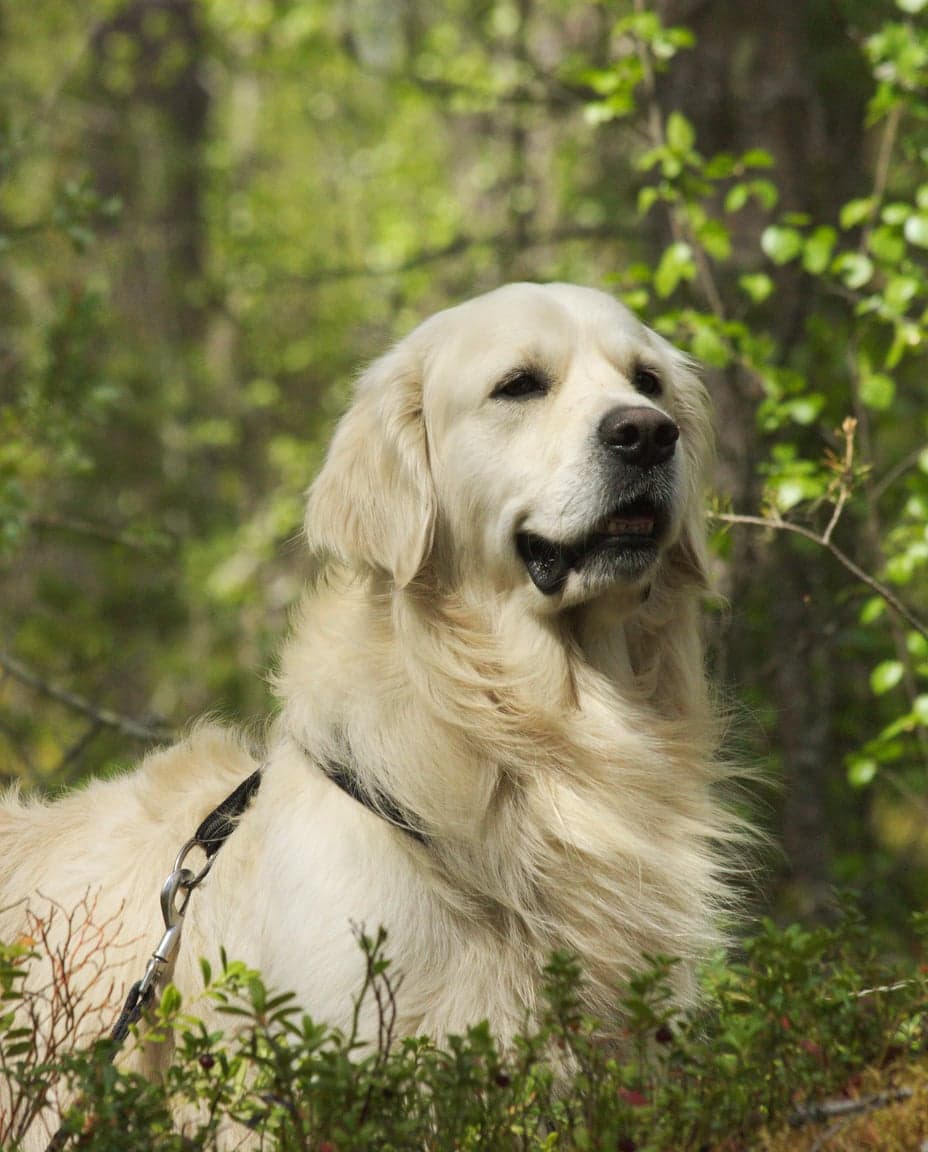 Real photoReal · camera photo
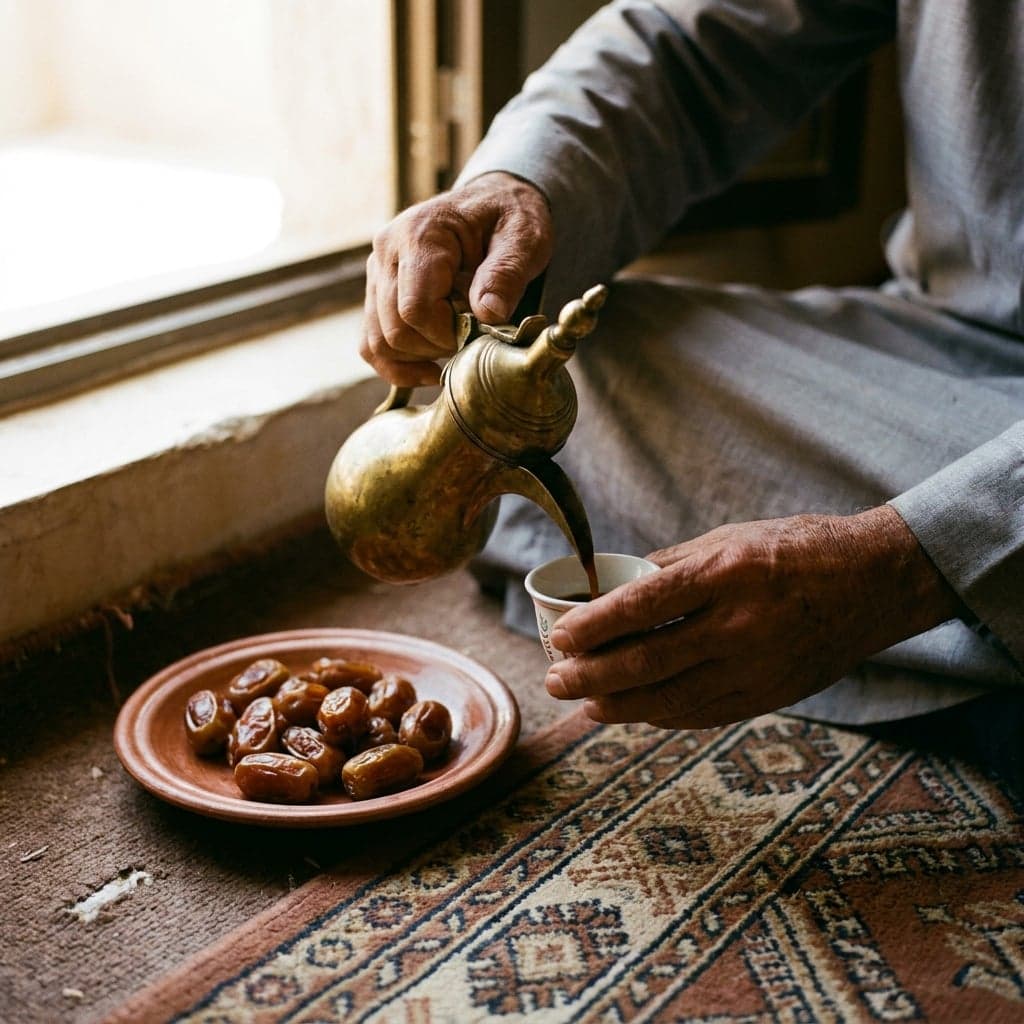 AI-generatedAI-generated · Nano Banana Pro
The AI half of this pair came from Google's Nano Banana Pro. Nothing in the picture says so: no mark, no telltale style. Without the tag, you could only guess at the generator, and so could anyone who tells you they can spot it by eye.
When the source really matters
Sometimes knowing that a picture was generated isn't enough, and you need the tool or the person behind it:
- Credit and reuse: before you reuse an image, find the first post. The creator, and the terms of the tool they used, decide what you may do with it.
- Reporting misuse: platforms, and the companies behind generators, can act on abuse of their tools. A label or a result from the maker's own checker is the evidence they will ask for.
- Publishing: saying which tool made an image is a factual claim. Make it only with a label, the maker's confirmation or the creator's own word, never from the look of the picture.
Where Perspicax fits
Perspicax answers the first question: was this picture fully generated by AI? Proven computer vision techniques and TrueEye 2.3, our state-of-the-art detector, examine every region of the image, and the answer comes in one of three bands:
Three possible answers
It doesn't need a label, so it still answers when every clue above has been stripped. It does not name the generator: source identification is on our roadmap.
Measured the way Perspicax answers: an inconclusive answer counts as a miss. See every number
Because new generators keep appearing, we test TrueEye 2.3 on generators it never saw in training. Across 13 of them, Midjourney 7 and Stable Diffusion XL among them, it caught 94.6% of AI images; that figure is pooled across all 13, not a result for any one of them. On the newest OpenAI, Google and ByteDance models, it caught 98.6% on average.
For the labels each generator leaves and our results for it, see the Detect pages: ChatGPT, Gemini, Midjourney, Seedream, Grok, FLUX, Bing Image Creator and Stable Diffusion.
Check an image now
Drop, paste or link a photo. Perspicax checks every region of it with computer vision and TrueEye 2.3, and answers likely AI-generated, likely real or inconclusive.
Questions people ask
Can Perspicax tell me which AI made an image?
No. It tells you whether an image was fully generated by AI. Naming the generator is on our roadmap; for now, a label in the file and each maker's own checker are the best clues.
Is there a tool that identifies the AI generator of any image?
Not reliably. Each company can check for its own watermark, and Content Credentials can name the tool while they survive. No method names the generator of every image, so treat any single guess with care.
How do I find the prompt used to make an image?
Look in the file's metadata: apps that run open models often save it there. Otherwise find the first post, where creators often share it. Tools that suggest a prompt from a picture describe it; they can't recover the prompt that was really used.
Can you tell Midjourney from ChatGPT by looking?
Sometimes you can guess from a default style, but both make photo-real images on request. Look for a label or the first post rather than trusting the look.
Does a missing label mean the image is real?
No. Labels live in the file's metadata and disappear with a screenshot, a re-save or most uploads. Check the pixels as well.
Why does it matter which AI made an image?
It tells you which company's checker to try and sometimes who made the picture. For most decisions, whether the image was generated at all matters more.