On this page
The AI images in your feed
AI images on social media fall into a few familiar kinds:
- Engagement bait: impossible cakes, heart-warming rescues, a child's "first painting", posted to collect likes and followers that are later sold or used for spam.
- Fake news pictures: disasters, protests, arrests and celebrity moments that never happened, often shared within minutes of a real event.
- AI "influencers": accounts built around people who don't exist, sometimes disclosed, often not.
- Ads and offers: products, homes and holidays shown in pictures that were generated, not photographed.
- Art and fun: openly AI-made images shared for what they are. Not every AI picture is a problem.
The trouble is the ones presented as real. A label would make this easy, but most of these posts don't carry one, and the ones that do can be hard to read correctly.
What platform labels mean
The big platforms do label some AI content. Each label means something narrower than it seems:
- Facebook, Instagram and Threads show "AI info" on some posts. Meta adds it when the file carries industry-standard AI signals, such as Content Credentials or similar metadata, or when the person posting discloses AI. It replaced the older "Made with AI" label in 2024, after photographers saw lightly edited real photos labelled as if they were generated.
- Instagram also has an "AI-generated profile" label for accounts whose posts show people made with AI.
- TikTok shows an AI-generated label when creators turn it on, and can add one automatically when a file carries Content Credentials.
- X strips metadata from images on upload, so labels inside the file don't survive the trip. In our sample of GPT Image 2 images collected from X, none still carried Content Credentials.
A label tells you that a signal or a disclosure existed. Its absence tells you almost nothing. Screenshots, re-saves, crops and many editing apps remove the file signals before the platform ever sees them, and people who want to pass an image off as real don't disclose.
Five checks for any post
Find who posted it first
Viral images are mostly reposts. Search the platform for the earliest copy, or run a reverse image search and sort by date. The first poster often explains the picture, credits a tool, or turns out to be an AI art account.
Look at the account
A page that posts a stream of perfect, emotional pictures with no sources, or that changed its name recently, deserves more doubt than a person posting scenes from their own life.
Read the replies and notes
Community notes on X, fact-check labels on Meta's apps and replies from other people often surface the source, the prompt or a debunk within hours.
Look for other angles
A real event is photographed by many people. If a dramatic scene exists in exactly one picture, from exactly one account, wait before you believe it.
Check the pixels
Save the image itself, or copy the image's address (not the post link), and drop or paste it into Perspicax. It checks the picture, so it doesn't need a label to survive.
What to look for in the picture
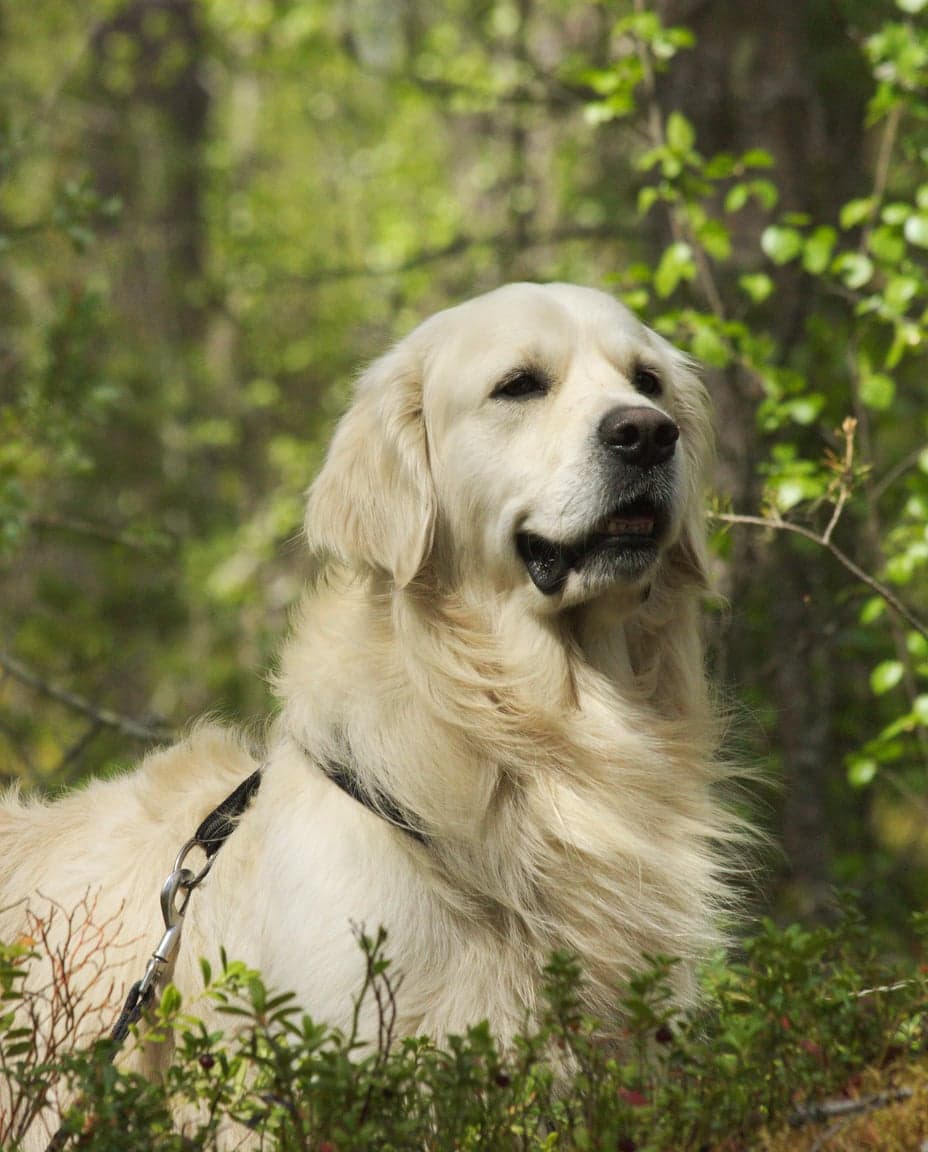 Real photoReal · camera photo
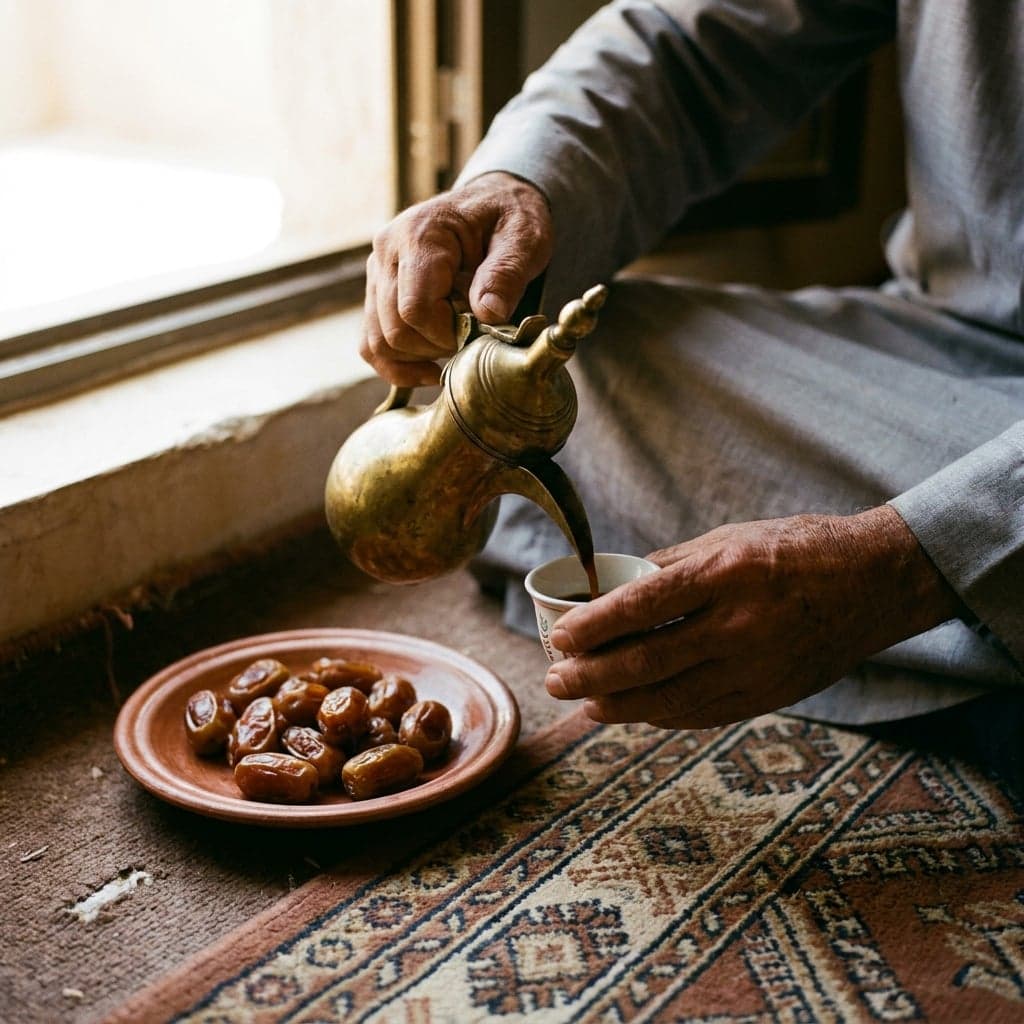 AI-generatedAI-generated · Nano Banana Pro
Both photos above look right, and that is the problem. Looking closely still catches careless AI images; the good ones need the checks around them, and a detector. When you do zoom in, this is what is worth your time:
Still worth checking
- Text in the background: shop signs, banners, number plates and headlines that look like words but aren't, or that read too perfectly for a messy street.
- Crowds and edges: people at the edges of the frame with merged limbs, missing feet or unfinished faces.
- A scene that is too on the nose: the perfect symbol of the story, framed like a film poster, with none of the mess of a real moment.
- Physics: water, smoke, fire, reflections and shadows that don't behave the way the light in the scene says they should.
No longer reliable
- Extra fingers: today's generators rarely make them.
- The "AI shine": a glossy finish is common in AI images, and in heavily edited real photos too.
- Low quality: blur, blockiness and odd colours usually come from being re-shared many times, not from AI.
- Asking a chatbot: it can describe a picture, but it isn't built to tell you whether the picture is AI, and it can be wrong either way.
How Perspicax helps
Perspicax combines proven computer vision techniques with TrueEye 2.3, our state-of-the-art detector. It examines every region of an image, down to the pixels, so it works on the compressed, re-shared copies social media produces, and it answers in one of three bands:
Three possible answers
Measured the way Perspicax answers: an inconclusive answer counts as a miss. See every number
On So-Fake-OOD, a public test set of real and AI images from social media, it scored 96.9% accuracy. On 6,811 GPT Image 2 images posted on X, where the platform had stripped their labels, it caught 89.7%.
It is also careful with real photos: about 1 in 100 real photos shared on the web and social media were wrongly flagged (1.2%). So a flag on a real-looking photo is a reason to check the source, not to accuse the person who posted it.
For images from a particular generator, see our ChatGPT image detector and our Grok image detector. Grok images are often made and shared directly on X, where any label is stripped on upload.
Before you like, share or reply
Engagement is exactly what AI bait is built to harvest. A few habits take the fuel away:
- Pause on posts designed to make you feel something fast: outrage, pity, awe.
- Don't share a picture to ask "is this real?": that spreads it further. Check first, or ask privately.
- If you shared something that turned out to be AI, delete it or reply with what you found. Corrections spread too.
- Report undisclosed AI images that mislead people, using the platform's reporting tools.
Pictures that reach you through group chats have usually lost even more on the way. Our guide on checking a photo before you share it has a two-minute routine, and our guide to AI profile pictures covers accounts built around made-up faces.
If you post AI images yourself
Label them. Every big platform has a way to disclose AI, and saying so up front keeps your audience's trust when someone else checks the picture. Post the file your tool produced rather than a screenshot of it: when that file carries an AI signal, the platform can read it and label the post for you.
Disclosure is a courtesy, not a confession. Openly AI-made art, mock-ups and jokes are fine; the harm comes from AI pictures passed off as photos of real people, places and events.
Check an image now
Drop, paste or link a photo. Perspicax checks every region of it with computer vision and TrueEye 2.3, and answers likely AI-generated, likely real or inconclusive.
Questions people ask
How do I know if a picture on Facebook is AI?
Look for an AI info label, but don't stop there, because most AI images carry none. Find who posted it first, read the comments, look for other photos of the same scene, and check the image with a detector.
What does AI info mean on Instagram?
That Meta found an industry-standard AI signal in the file, or that the person posting disclosed AI. It can mean the image was generated, or that a real photo was edited with an AI tool. Tap the label to see more.
Does X label AI images?
X strips metadata from uploaded images, so labels inside the file don't survive, though community notes sometimes flag AI images. In our sample of GPT Image 2 images collected from X, none still carried Content Credentials, which is why checking the pixels matters.
Can Perspicax check an image from a social media post?
Yes. Save the image, or copy the image's address (not the post link), then drop or paste it into Perspicax. It works on compressed, re-shared copies.
Is an image without an AI label real?
Not necessarily. Labels depend on signals in the file and on people disclosing AI. Screenshots and re-uploads strip the signals, so most AI images in your feed carry no label at all.
Why does a real photo sometimes get flagged?
No detector is perfect. In testing, about 1 in 100 real photos shared on the web and social media were wrongly flagged (1.2%). Treat a flag as a reason to check the source, not as proof.
Why do accounts post AI images?
Mostly for attention: likes and followers can be turned into money, sold on as accounts or used for spam. Some spread false stories, and some simply share AI art openly.